Several of the program's options are configurable according to your personal preferences. You can change these options via the menu option Preferences. (Menu option General / Preferences).
A dialog opens, having several sections.
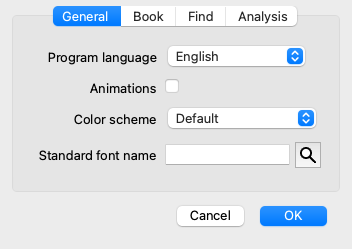
| Program language | Several language options are available here to choose from. The available language can vary per version of Complete Dynamics; languages not available might be added in a newer release. |
| Animations | In some parts of Complete Dynamics, animations are used, for example when opening and closing a case. These look nice, but take time to finish. If you do not want these animations, uncheck this option. |
| Color scheme | A few options to use colors according to your preferences. |
| Standard font name | Here you can select your prefered font, to be used by the program. |
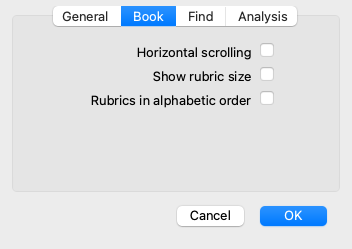
| Horizontal scrolling | If this option is checked, the feature of horizontal scrolling is enabled. This feature can only be available if your mouse or track pad supports horizontal scrolling. |
| Show rubric size | If checked, the Book module always shows the number of remedies for a rubric. If not checked, the number is only shown when the remedies are not visible. |
| Rubrics in alphabetical order | If checked, the Book module always shows rubrics in alphabetical order. If not checked, the standard repertory order is used, as introduced by Kent. |
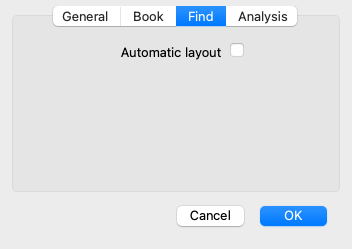
| Automatic layout | If this option is checked, the Find results are automatically drawn in multiple columns, if there is enough space on the screen. When not checked, all rubrics are drawn in a single column. |
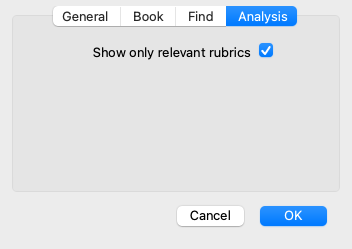
| Show only relevant rubrics | In the Analyis module, the relation between rubrics and remedies is shown in the resulting table graphs. Symptoms and Rubrics with weight setting 0, do not actually contribute to the analysis results. When this options is checked, remedies from rubrics that do not contribute to the analysis results are left out of the result table graph. This way, you can see more easily how the rubrics contribute to the analysis result. |